7 WhatsApp Automation Workflows Every Indian SMB Should Set Up in 2026
WhatsApp automation does not require a developer or a big budget. These 7 workflows cover every major customer touchpoint and can be set up in an afternoon on wChatFlowAI.
Most Indian SMBs think WhatsApp automation is only for large companies with technical teams. In reality, a ₹649/month subscription and one afternoon of setup can automate the seven most important customer communication moments in any business. Here are the exact flows, why they matter, and how to implement each one.
Workflow 1: How to Send an Automated WhatsApp Welcome Message?
Trigger: A new customer sends you their first WhatsApp message. Action: An instant automated reply goes within 5 seconds. Why it matters: 65% of customers who do not receive an immediate reply on first contact never send a second message. The welcome message sets expectations, introduces your business, and guides the customer to the next step — all before a human agent is involved.
Example: 'Hi {{name}}! 👋 Welcome to [Business Name]. I'm your virtual assistant — I can help with pricing, orders, and support. Reply with: 1️⃣ Pricing 2️⃣ Order Status 3️⃣ Talk to our team'
Workflow 2: How to Qualify Leads Automatically with WhatsApp?
Trigger: Customer selects 'Pricing' from welcome menu or sends a keyword like 'cost', 'price', 'quote'. Action: A multi-step flow that qualifies the lead — asks for budget, requirement, city, and timeline — before routing to a sales agent with a pre-filled summary. Why it matters: Your sales team stops wasting time on unqualified leads and focuses only on prospects who match your offering.
Workflow 3: How to Recover Abandoned Carts Automatically on WhatsApp?
Trigger: Customer abandons checkout on your website (via webhook from Shopify / WooCommerce). Action: Three-message sequence — reminder at 30 min, discount offer at 4 hours, urgency message at 24 hours. Stops when purchase is completed. Why it matters: At ₹0.8631 per message, a 3-message cart recovery sequence costs about ₹2.59. Recovering one ₹1,000+ order pays for over 380 sequences.
Workflow 4: How to Automate Post-Purchase Onboarding on WhatsApp?
Trigger: Order placed or service subscribed. Action: Sequence of utility messages — order confirmation, shipping update, delivery confirmation, usage tips (day 3), and review request (day 7). Why it matters: Post-purchase communication is classified as Utility (₹0.115/message) — cheaper than marketing. It dramatically reduces WISMO calls and builds customer satisfaction before the next purchase.
Workflow 5: How to Auto-Resolve Customer Support Queries on WhatsApp?
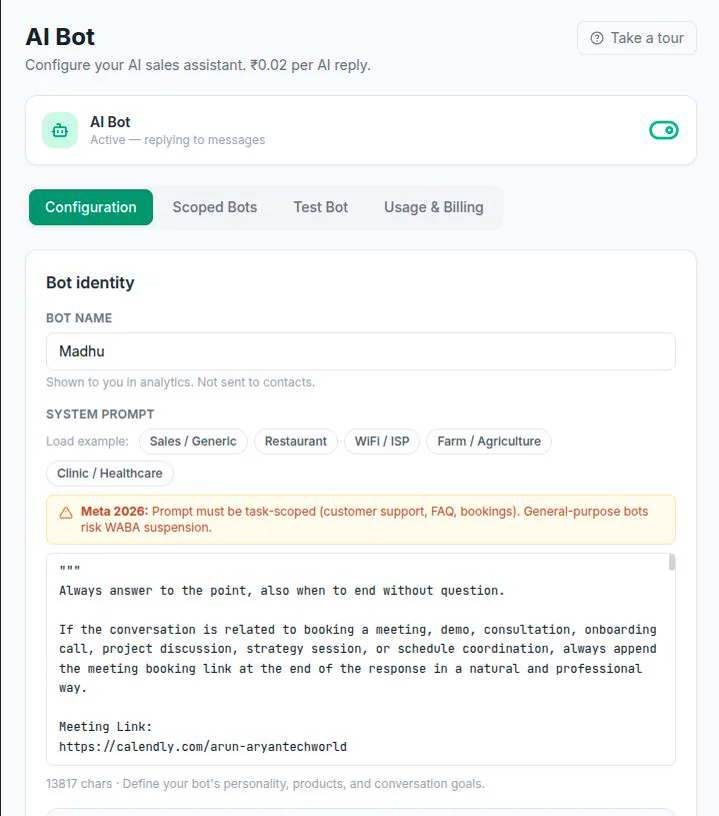
Trigger: Any inbound customer message. Action: Keyword matching and AI bot handle FAQ, order status queries, and returns information. Human escalation for complex issues. Why it matters: Eliminates the support overhead of answering the same 10 questions 50 times per day. Service messages are free — there is no Meta cost for handling inbound support.
Workflow 6: How to Send Automated Payment Reminders on WhatsApp?
Trigger: Payment due date approaching (from your billing system or CRM via webhook). Action: Three-message sequence — 7 days before, 1 day before, on due date — with a direct payment link. Why it matters: Payment reminders via WhatsApp get 3–4x higher action rates than email. Each message is a Utility template (₹0.115). Recovering even one overdue payment per month makes this workflow's cost negligible.
Workflow 7: How to Run an Automated WhatsApp Re-Engagement Campaign?
Trigger: Customer has not purchased / interacted in 60+ days (segment exported from your CRM or Shopify). Action: A personalised re-engagement bulk message — 'We miss you at [Business Name]! Here's an exclusive 15% off code for your next order: USE15NOW. Valid until [date].' Why it matters: Re-engaging an existing customer costs 5–7x less than acquiring a new one. Your existing WhatsApp opt-in list is your most valuable marketing asset.
Setting Up All 7 Workflows — How Long Does It Take?
| Workflow | Setup Time | Difficulty |
|---|---|---|
| Welcome message | 15 min | Very easy |
| Lead qualification flow | 45 min | Easy |
| Abandoned cart recovery | 1 hour (includes webhook setup) | Medium |
| Post-purchase onboarding | 30 min | Easy |
| Support auto-resolution | 1–2 hours (AI prompt tuning) | Medium |
| Payment reminder | 30 min | Easy |
| Re-engagement campaign | 30 min | Easy |
All 7 workflows can be built in wChatFlowAI's automation builder — no coding required. Start your 14-day free trial at app.wchatflowai.com and complete your first workflow in under an hour.
Ready to get started with wChatFlowAI?
14-day free trial · No credit card required · Connect in minutes