How to Send Bulk WhatsApp Messages Legally in India
Sending bulk WhatsApp messages without the right setup is a sure-fire way to get your number banned. Here is the complete guide to doing it the legal, Meta-approved way.
Search YouTube and you will find hundreds of tutorials on 'WhatsApp bulk sender software' that promise to send millions of messages for free. These tools use unofficial methods that violate Meta's Terms of Service. The result: your WhatsApp number gets permanently banned, often within days. This guide explains the only legal way to send bulk WhatsApp messages in India — using the official WhatsApp Business API.
What Is the Legal Way to Send Bulk WhatsApp Messages?
Warning: 'Bulk WhatsApp sender' software that does not use the official API is illegal under Meta's Terms of Service and can result in your phone number being permanently banned. There is no appeal process. Indian businesses have lost years of customer contact data this way.
| Method | Legal? | Risk |
|---|---|---|
| WhatsApp Business API via a BSP | ✓ Legal | None — fully Meta-compliant |
| Unofficial bulk sender software | ✗ Illegal | Permanent number ban |
| WhatsApp Web automation (browser) | ✗ Illegal | Permanent number ban |
| Reselling others' WABA numbers | ✗ Illegal | Criminal liability possible |
What Is Meta's Opt-In Requirement for WhatsApp?
Before you can send any marketing message to a contact, that person must have explicitly opted in to receive WhatsApp messages from your business. This is not optional — it is a Meta policy requirement, and violating it is the fastest way to get quality rating warnings and eventually a WABA ban.
- Opt-in must be explicit — pre-ticked checkboxes do not count
- You must clearly mention it is WhatsApp messages they are opting into
- Keep records of when and how each contact opted in
- Accepted opt-in methods: website checkout, website form, SMS, in-store, IVR
- Opt-in via WhatsApp itself (customer messages you first) is the strongest signal
Why Are Template Messages Required to Start WhatsApp Conversations?
The WhatsApp Business API has a key rule: you cannot send a free-form message to start a conversation. You must use a pre-approved message template. Templates are submitted to Meta for review before you can use them — typically approved in 24–48 hours. Only after a customer replies within the 24-hour window can you send free-form messages back.
What Are the WhatsApp Message Categories and Costs in India (2026)?
| Category | Use Case | Cost (India, per message) |
|---|---|---|
| Marketing | Offers, sale announcements, abandoned carts, newsletters | ₹0.8631 |
| Utility | Order confirmations, shipping updates, payment reminders | ₹0.115 |
| Authentication | OTP for login, 2FA, account verification | ₹0.115 |
| Service | Replies to customer-initiated conversations (within 24h) | FREE |
What Are WhatsApp Frequency Limits and Anti-Spam Rules?
Meta enforces strict limits to prevent spam. Violating these limits does not just get your message blocked — it affects your phone number's quality rating. A drop to RED quality rating triggers restrictions on how many conversations you can open per day.
- Do not send more than 2–3 marketing messages per contact per month
- If a contact clicks 'Block', it counts against your quality rating
- High unread rates signal potential spam — use engaging, relevant content
- Error code 131049 means you hit Meta's frequency cap for that contact — do not retry immediately
- Error code 131026 means the number is invalid — remove it from your list
- Respect business hours — sending at 2 AM damages your open rates
How Do I Set Up My First Legal Bulk WhatsApp Campaign?
- Sign up for wChatFlowAI and connect your WhatsApp Business number
- Upload your opted-in contact list as a CSV (name, phone, and any custom variables)
- Create a message template with your offer — add variables like {{customer_name}} and {{product}}
- Submit the template to Meta for approval (usually approved in 24–48 hours)
- Schedule your bulk campaign — pick a time when your audience is likely to engage
- Monitor delivery rates, read rates, and any quality warnings in your dashboard
- Follow up on replies within 24 hours — these are free service conversations
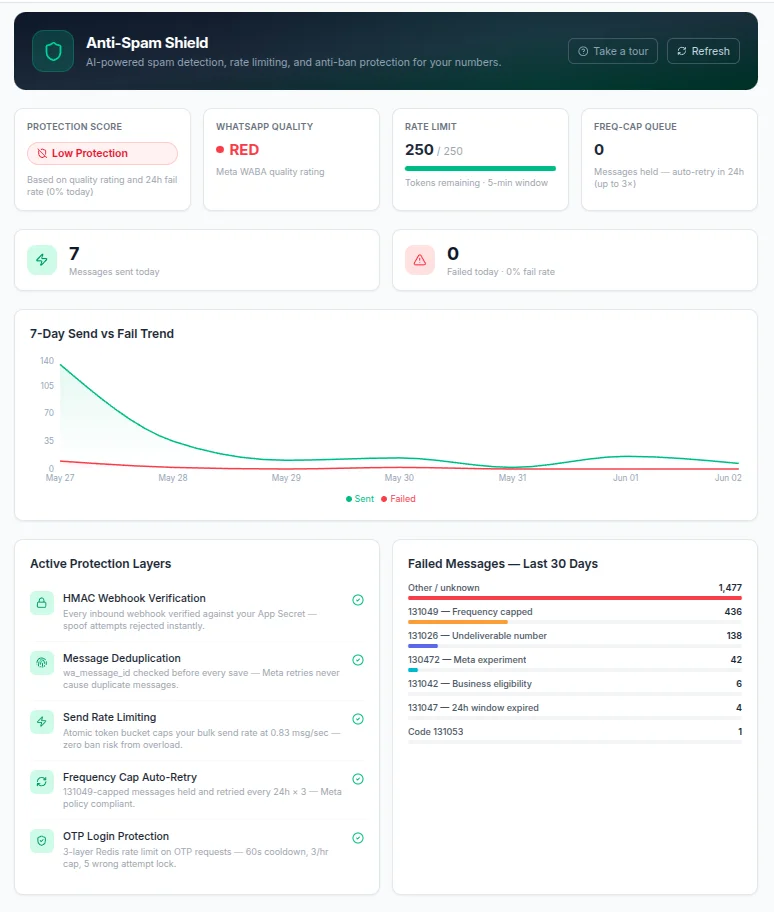
wChatFlowAI's anti-ban shield automatically rate-limits your bulk sends to stay within Meta's safe sending thresholds. Your WABA stays healthy while you scale. Start free at app.wchatflowai.com.
More articles in Bulk Messaging
Ready to get started with wChatFlowAI?
14-day free trial · No credit card required · Connect in minutes